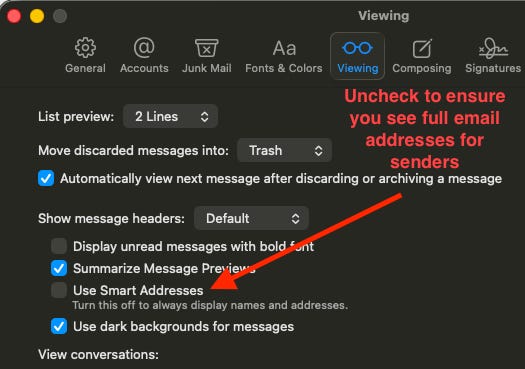
Apple Mail setting for better ability to spot phishing schemes
One simple option to uncheck

I wish Apple would turn this off by default, but unfortunately that’s not the case. There’s a feature called “Use Smart Addresses” which hides the actual email address of the sender and just shows a name. This makes it easy to miss phishing schemes because the sender address often is the giveaway (such as some weird gmail address). Get it together Apple, and set this default to OFF!
In the meantime, go to the Mail menu at the top left, then Settings, then Viewing tab and deselect this option.